
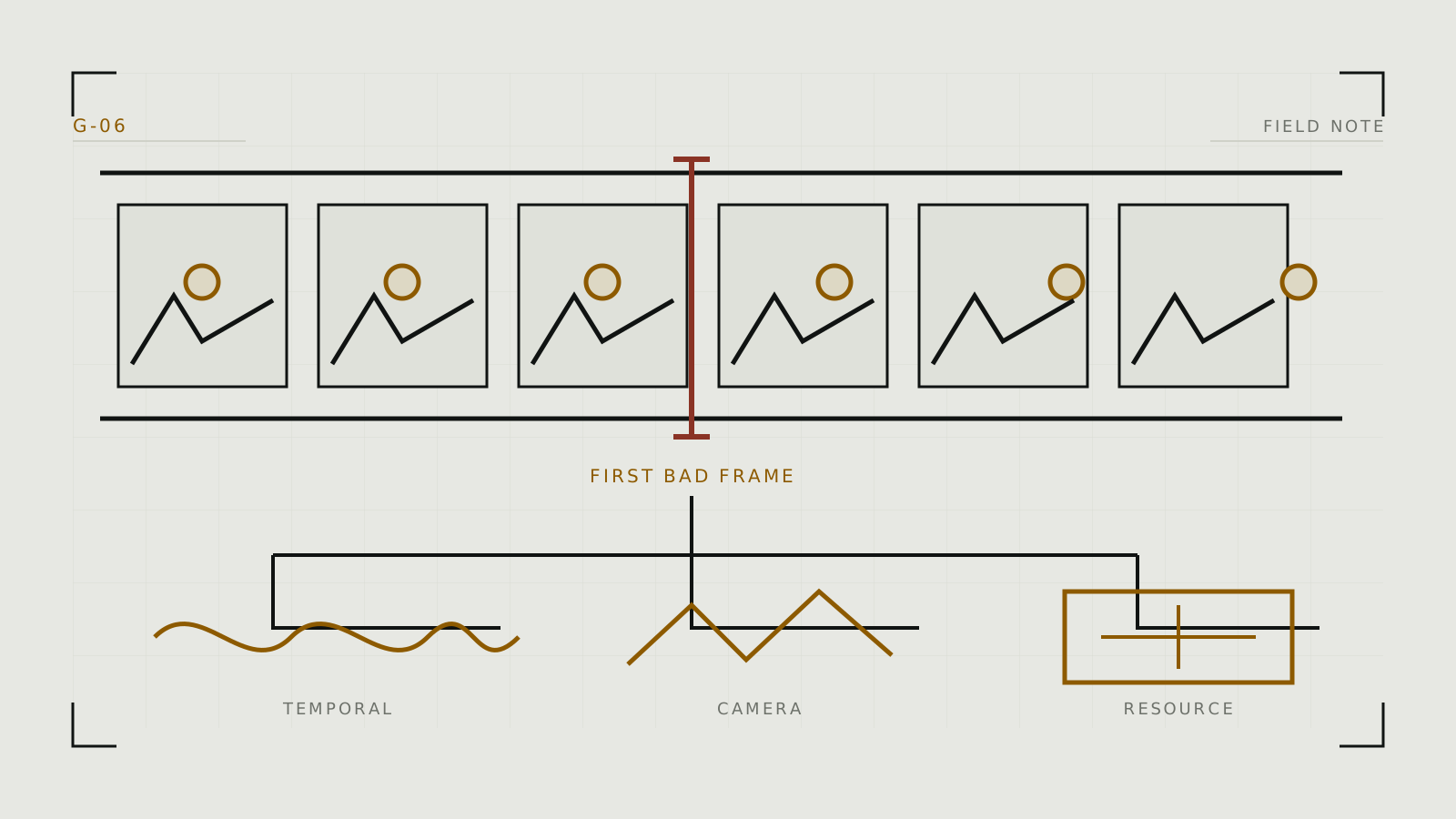
Freeze the failed clip at the first bad frame
Do not diagnose only from the final frame. Scrub from the start and mark when the failure first appears. If frame one is already wrong, fix the source or initial conditioning. If identity degrades gradually, reduce duration, motion, or conditioning conflict. If only an extension breaks, replace its handoff keyframe.
Keep the source, prompt, tool/model version, seed where exposed, aspect ratio, duration, and motion settings. Without that record, every retry becomes a new experiment.
Match symptoms to likely causes
- Face or identity drifts: the shot is too long, the turn is too extreme, the source face is small or ambiguous, or motion guidance overwhelms identity conditioning.
- Hands or limbs multiply: the source has overlaps, the action is too complex, or occluded anatomy must be invented over many frames.
- Subject disappears: framing and movement push it out of view, or foreground/background boundaries are unclear.
- Camera lurches: several camera verbs conflict, or subject motion is being interpreted as camera motion.
- Texture flickers: fine patterns are not temporally stable; simplify the texture, reduce motion, or use a more stable source.
- Loop jumps: the last pose, lighting, or camera state does not match the first.
Apply the smallest correction
For identity drift, shorten the clip, reduce head rotation, enlarge the face in frame, or increase supported reference conditioning slightly. For anatomy failures, repair the source with inpainting and request one simpler action. For camera lurch, keep one explicit camera move or request a locked camera. For background boiling, reduce camera motion and start with cleaner edges and less repeated fine texture.
Do not use frame interpolation as a universal repair. It creates intermediate frames between existing ones; it cannot restore an identity that the source sequence has already lost.
Distinguish model failure from resource failure
A visual failure returns a clip with bad content. A resource failure may stop generation, crash, or report out-of-memory. For a local ComfyUI workflow, reduce frame dimensions, frame count, batch size, or use model-supported precision and offloading. Video models can require much more memory than still-image models; estimate with the VRAM guide.
With a hosted tool such as Runway, a queue, service, policy, or credit error is not fixed by rewriting the prompt. Check the official status and account documentation.
Know when to cut the shot
If three controlled retries fail at the same transition, split the idea into two shots. Generate each from a strong still, then edit them together. A cut can preserve identity and timing better than forcing one model to maintain an elaborate continuous action.
Return to the image-to-video workflow to rebuild the source and motion brief. When the failure begins with an inconsistent character before animation, correct the still-image pipeline first.
Technical context
Separate temporal-model failures from memory, decoder, node or hosted-service failures.